If you are researching how much it costs to develop a mobile app, you have landed in the right place. This comprehensive guide has been updated for 2026 with transparent market rates and actionable insights for founders, product owners, and business leaders.

    The quick answer: A standard custom mobile application with user authentication, database back-end, payment gateway, and release on both Android and iOS requires 480 to 960 engineering hours, with investment ranging from $4,000 to $45,000+ USD depending on development approach and complexity.

    Simpler MVP solutions leveraging no-code or low-code frameworks can reduce total effort to 100-240 hours, coming in between $1,500 and $7,000 USD. However, for long-term scalability and proprietary intellectual property, custom engineering remains paramount.

    💡 The #1 mistake app founders make

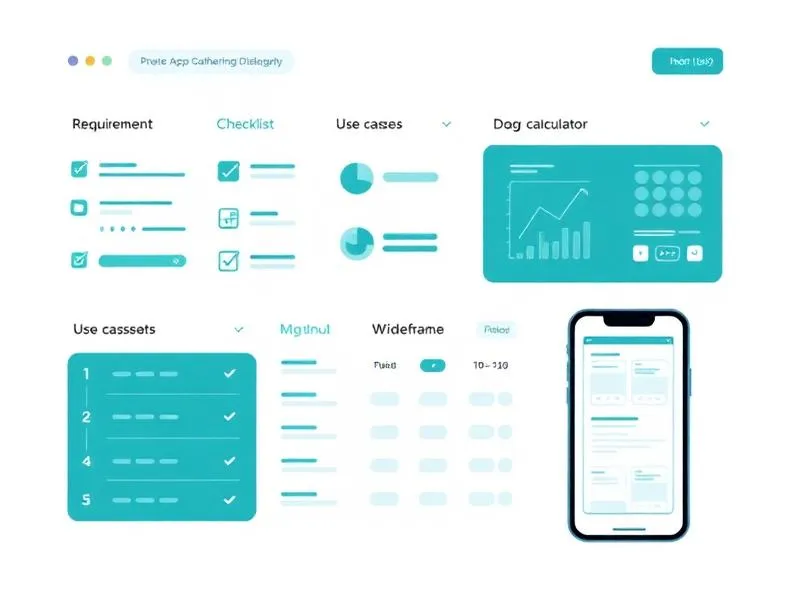
    Over 60% of software projects exceed budget due to vague requirement specifications. Before requesting quotes, define precisely what your app must do. At Shinier, we provide a guided tool that structures your requirements into concrete use cases before a single line of code is written.


    App Development Cost Breakdown (2026)

    Investment ranges based on real-world deliverables, engineering benchmarks, and transparent pricing models.

    App CategoryInvestment Tier (USD)Estimated Timeline
    MVP App (No-code / Low-code)$1,500 – $7,000 USD2 – 6 weeks
    Simple App (5-10 screens)$4,000 – $12,000 USD1 – 3 months
    Medium App (10-25 screens)$12,000 – $30,000 USD3 – 6 months
    Complex App (25+ screens)$30,000 – $80,000+ USD6 – 12+ months
    Super App / Enterprise Platform$80,000 – $200,000+ USD12+ months
    Free Tool for Founders & Enterprise Leaders

    Define Your App Requirements Before Spending a Single Cent on Development

    Use the Requirement Specification Tool from Shinier Accelerator to create your Project Charter and structured Use Cases. Approach dev teams or software houses with well-defined, justified goals—and secure a smooth development journey.

    Founders using our specification tool report up to 40% reduction in engineering rework and significantly tighter budgets.

    Key Factors Impacting App Cost

    Beyond initial development, mobile applications incur recurring operating expenses: monthly infrastructure starting around $50–$300 USD/month, ongoing maintenance starting from $400/month, and developer account fees (Apple: $99/year; Google: $25 one-time fee).

    When budgeting your application, evaluate these core parameters:

    • Platform: Android, iOS, or both simultaneously?
    • Tech Stack: Native (Swift/Kotlin) or cross-platform (React Native/Flutter)?
    • Design UI/UX: Off-the-shelf component system or custom interface design?
    • Authentication: Social sign-in, biometric login, 2FA?
    • Payments: Payment gateways, digital wallets, recurring subscriptions?
    • Backend: RESTful/GraphQL APIs, real-time database, cloud hosting?
    • Integrations: Maps, real-time chat, push notifications, analytics?
    • Localization: Single language or multi-lingual internationalization?
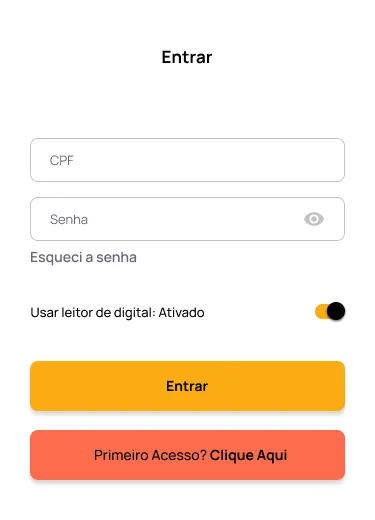
    Mobile application authentication and login interface mockup

    Native vs Cross-Platform App: Which to Choose?

    Your technology stack choice directly impacts overall cost, development timeline, and mobile app performance.

    Native App

    Developed specifically for iOS (Swift) or Android (Kotlin). Delivers maximum performance and complete access to hardware features.

    • Peak performance & native UI look and feel
    • Complete access to operating system APIs
    • Ideal for GPU, camera, or hardware-intensive apps

    ⚠️ 40-60% higher cost (two separate codebases)

    Cross-Platform App Recommended

    A single codebase for iOS and Android using React Native or Flutter. Lower overall cost and faster time-to-market.

    • Single engineering team, single unified codebase
    • Near-native performance (95%+ benchmark match)
    • Simultaneous feature releases across iOS & Android

    ✅ Up to 40% savings in overall development

    Featured US Case StudyUnited States Post-Construction Cleaning

    Clean First Time — US Post-Construction Cleaning App

    Engineered by Shinier for the US market, Clean First Time is a high-performance mobile application designed for a premier American post-construction cleaning services company operating across the United States.

    • Real-time job dispatching & worker routing across US sites
    • Automated checklist verification & photo proof of work
    • Full store deployment on Google Play & iOS App Store
    View Clean First Time on Google Play

    US Nearshore Pricing Model

    Brazilian Base Rates + USD Exchange Rate & Taxes

    "At Shinier, we serve US founders and enterprises with total cost transparency: we maintain our baseline Brazilian development rates, simply converting currency at current exchange rates plus applicable local taxes. US clients save 50% to 70% compared to US domestic agencies."

    US Client Guarantee100% On-Time & In Budget
    Team of professionals working on mobile app development planning

    How to Manage Your App's Development

    When hiring an agency or software house to build your app, designating a key team member to manage progress is critical. If you are a solo founder, you will fulfill this role—and this is where most software projects struggle.

    The challenge is rarely technology: it is communication. Founders who arrive at a software house with vague requests like "I want an app like Uber" end up paying double due to constant rework.

    The solution? Conduct a structured requirements gathering phase before engaging engineers. This means documenting every feature as a use case with actors, inputs, outputs, and alternative flows.

    Starting with an MVP (Minimum Viable Product) remains the single best strategy: validate your core idea with minimal investment before scaling.

    Professionals Involved in Mobile App Development

    Developing a mobile app requires a multidisciplinary team. Understanding who these professionals are explains why custom software investment is significant:

    UX/UI Designer

    Creates intuitive and visually striking user interfaces. Usability is a primary driver of user retention.

    Product Owner / Analyst

    Translates business goals into technical specifications, acting as the bridge between founders and engineers.

    Software Architect

    Defines system architecture, tech stack selection, and ensures early-stage scalability and security.

    Mobile Developer

    Turns requirements into clean, functional code. Represents roughly 50% of total project effort.

    Backend Developer

    Builds REST/GraphQL APIs, database architecture, and server logic that feeds the mobile application.

    QA / Test Engineer

    Guarantees quality through functional, performance, and cross-device compatibility testing.

    In smaller projects, one engineer may handle multiple roles. However, without at least a dedicated designer and experienced developer, quality will be compromised.

    Recurring Expenses After App Launch

    Your investment does not end at launch. Plan ongoing operational costs to keep your app performant and competitive.

    ItemMonthly Cost (USD)
    Cloud Hosting & Backend$50 – $2,500 USD
    Maintenance & Bug Fixes$400 – $1,500 USD
    Feature Enhancements$1,000 – $5,000 USD
    App Stores (Apple + Google)~$10/month*
    Monitoring & Analytics$0 – $400 USD
    🎯 The Secret to Staying Under Budget

    Requirements Gathering: The Step That Defines App Success (or Failure)

    According to Standish Group research, 66% of software projects fail or overrun budget due to ill-defined requirements. A structured requirement specification phase can save up to 40% of overall project budget.

    What happens when requirement specs are vague?

    • Constant rework: Developers rebuild screens because expectations were misaligned
    • Scope creep: New features surface mid-project, inflating budget and deadlines
    • Flawed communication: Founders and engineers speak different languages without shared specs
    • Blown budgets: An app budgeted at $15,000 ends up costing $30,000+

    What changes with structured specifications?

    • Precise estimates: The software house knows exact scope to build
    • Reliable timelines: Fewer surprises and minimal wasted dev effort
    • Full alignment: Charters and use cases share the exact same technical language
    • Justified decisions: Every feature has a documented "why" and acceptance criteria
    Shinier Accelerator requirement gathering tool dashboard showing use cases and app planning

    Shinier Accelerator — Requirement Specification Tool

    Inside the Shinier platform, we offer a guided Requirement Specification Tool that automatically generates your Project Charter (TAP) and Structured Use Cases—ready to deliver to any dev team or software house.

    Project Charter (TAP)

    Formal document covering scope, goals, stakeholders, risks, and success metrics.

    Detailed Use Cases

    Every feature turns into a structured use case with actors, prerequisites, inputs, outputs, and risks.

    Acceptance Criteria

    Clear definition of "done" for each feature, eliminating mid-project ambiguity.

    Example: Use Case "Google Single Sign-On"

    Actor: Unauthenticated User

    Prerequisite: Valid Google Account

    Input: Tap "Sign in with Google" button

    Output: User authenticated & redirected to dashboard

    Optimal Scenario: OAuth 2.0 → token → session created

    Alternative Scenario: User cancels → returns to login screen

    Risk: Token expired → force re-authentication

    Criterion: Complete login in < 3 seconds

    7 Tips to Reduce Your Mobile App Cost

    1

    Start with an MVP

    Validate your idea with core features before heavy capital expenditure.

    2

    Gather requirements first

    Use our tool to present software agencies with defined, justified objectives.

    3

    Use cross-platform frameworks

    React Native or Flutter save up to 40% with a single codebase for iOS and Android.

    4

    Prioritize one primary platform

    Launching on one platform first cuts initial build expense and enables faster iteration.

    5

    Leverage BaaS (Backend as a Service)

    Supabase or Firebase significantly reduce server-side development effort and cost.

    6

    Reuse established UI components

    Ready component libraries accelerate frontend development speed dramatically.

    7

    Invest in pre-development planning

    Allocating 10-15% of your budget to planning (wireframes, specs) saves 30-40% during execution.

    Referências

    • PRESSMAN, Roger S. Software Engineering: A Practitioner's Approach. 8th ed. McGraw-Hill, 2014. Covers development lifecycle and best practices for software engineering projects.
    • SOMMERVILLE, Ian. Software Engineering. 10th ed. Pearson, 2015. Classic work on software engineering from requirements analysis to project management.
    • BROOKS, Frederick P. The Mythical Man-Month: Essays on Software Engineering. Anniversary ed. Addison-Wesley, 1995. Classic insights into software project management and complexity.
    • BOEHM, Barry W. Software Engineering Economics. Prentice Hall, 1981. Fundamentals of software cost estimation and economic trade-offs.
    • Statista. Global Mobile App Development Costs 2024-2026. Global industry report on average app development costs by region, tech stack, and complexity. Statista